Krishna Das - Workshop
"Konsert" på Oslo Konserthus
Beskrivelse
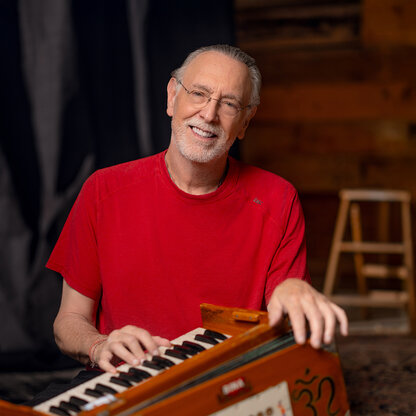
Krishna Das – Work shop As excitement builds around our upcoming concert with Krishna Das this April, we are so happy to announce a Heart of Devotion workshop with Krishna on the following day, April 12th. Unlike his large scale concerts in which the audience join Krishna Das in mantra singing, his workshops offer a more intimate opportunity to gather and learn from this devoted bhakti musician. Offering call and response chanting, stories learnt from his own guru, readings from spiritual traditions and the chance to discuss and reflect together as a group, his workshops take the participant much deeper into the meaning and magic behind kirtan itself. With tales of his own deep and winding spiritual path and personal practice and his open heart and joyful persona, Krishna holds these circles with both strength and lightness. Sharing this profound work in a relatable and wholly enjoyable way, making the gathering suitable for newcomers alongside experienced chanters. Curiosity is all you need bring along. Following what is sure to be an unforgettable concert the previous night, this workshop will enhance and deeply establish the revelations and beautiful teachings of sound as healing and prayer. You may come and join whole heartedly in song, or simply sit in silent presence and absorb the beauty of the three hour workshop. Publikum med billett til konserten med Krishna Das den 11. april kan velge "Tilleggsbillett til 11. april" Arrangementet har ingen aldersgrense - alle i publikum må løse inn billett No age limit
Lokasjon
Adresse: Munkedamsveien 14, 0115 Oslo